
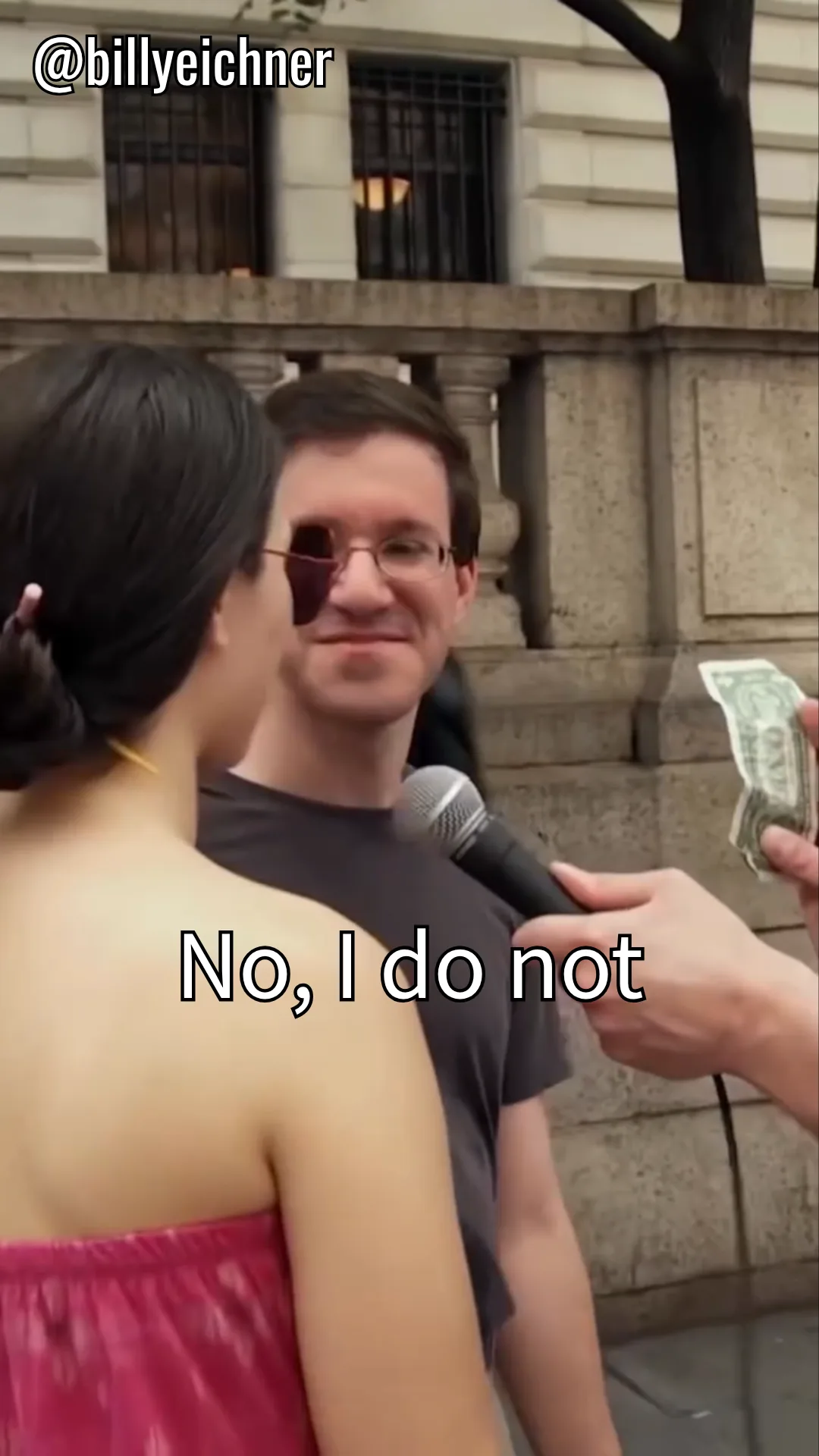

Hardcoded vs. Soft Subtitles: What Is the Difference?
There are two fundamentally different ways subtitles can exist in a video file. Understanding the difference matters because the method for removing them is completely different.
| Feature | Hardcoded (Burned-In) | Soft (External Track) |
|---|---|---|
| Where they live | Rendered into the video pixels | Stored as a separate text track (SRT, VTT, ASS) |
| Can you turn them off? | No, they are part of the image | Yes, toggle in player settings |
| Can you change the font/size? | No, fixed appearance | Yes, player controls styling |
| File size impact | None (already in the video) | Minimal (small text file) |
| How to remove | AI inpainting (e.g., Wipe AI) | Delete the subtitle track or deselect it |
| Common on | TikTok, Instagram, YouTube shorts, supplier videos | Netflix, YouTube (CC), Blu-ray |
How to Tell If Subtitles Are Hardcoded
Not sure whether the subtitles in your video are hardcoded? Here are three quick checks:
- Try turning off subtitles in your player. Open the video in VLC, QuickTime, or any player and look for a subtitle toggle. If there is no option, or if the text stays visible after turning subtitles off, they are hardcoded.
- Check the file properties. Right-click the file and look at its metadata. If no subtitle tracks are listed but text is visible in the video, the subtitles are burned in.
- Pause and zoom in. Hardcoded subtitles will pixelate when you zoom in because they are part of the video image. Soft subtitles rendered by the player stay sharp at any zoom level.
Why Do People Hardcode Subtitles?
There are several reasons why subtitles get permanently burned into video:
- Social media auto-play: Platforms like TikTok, Instagram, and Facebook auto-play videos on mute. Creators add visible captions so viewers can follow the content without sound.
- Universal compatibility: Hardcoded subtitles display identically on every device and player. No risk of missing fonts, encoding issues, or players that do not support subtitle tracks.
- Editing workflow: Many creators add text directly in their editing software (CapCut, Premiere, Final Cut) as part of the video export rather than creating separate SRT files.
- Accessibility compliance: Some organizations hardcode captions to guarantee they are always visible, meeting accessibility requirements without relying on player support.
- Language localization: Supplier and manufacturer videos often have subtitles baked in for their primary market language.
How to Remove Hardcoded Subtitles
Because hardcoded subtitles are part of the video pixels, you cannot simply delete a text track. The video player has no subtitle file to remove. Instead, you need a tool that can detect the text in each frame and reconstruct the background behind it.
How Wipe AI handles thisWipe AI uses AI inpainting to detect visible text in video frames and fill in the pixels behind it. The AI looks at surrounding colors, textures, and motion to reconstruct what the background would look like without the subtitle. The result is a clean video with no visible trace of the original text.
The process is simple:
- Upload your video to Wipe AI
- Auto-detect finds all visible text, or manually select the subtitle area
- AI processes each frame and removes the text
- Download the clean video
Other Types of Burned-In Text
Hardcoded subtitles are just one type of text burned into video. The same removal method works for:
- Captions, speaker identification, sound descriptions, and dialogue text
- Date and time stamps, camera timestamps from security cameras, dashcams, or action cameras
- Location tags, GPS coordinates or city names overlaid by recording apps
- Usernames and handles, social media usernames visible in screen recordings
- Price tags and promo text, promotional overlays in product or e-commerce videos
Open Captions vs. Closed Captions
These terms originally come from broadcast television:
- Open captions are always visible to all viewers. They are the same thing as hardcoded subtitles, permanently part of the image.
- Closed captions can be turned on or off by the viewer. They are stored as a separate data stream and the TV or player renders them on top of the video.
In the digital video world, the same distinction applies: open captions are burned in, closed captions are toggleable.
Remove hardcoded subtitles from any video
Upload your video, let AI detect the burned-in text, and download a clean version. Works in your browser on any device.
Remove Subtitles Now, Free